Guide · Blog Post
Connecting Claude to monday.com with MCP: What It Can Do, Where It Stops, and How to Keep It Safe
monday.com now runs an official MCP server, which means Claude can read your boards, answer questions across them, create items, and update columns from a plain-language request. It is the fastest way to give people an AI assistant that knows what is actually on the board. It is not a replacement for automations and syncs, and it needs a few guardrails before you roll it out to a team. This is how it works, what I would and would not use it for, and how it fits with Skills and n8n.
By Mehadi Hasan 8 min read
1. What the monday MCP server is
MCP, the Model Context Protocol, is a standard way for AI assistants to use tools in other systems. monday.com hosts its own MCP server at https://mcp.monday.com/mcp, which its developer documentation says exposes more than 60 tools for reading and writing monday.com data (monday MCP docs). There is also an open-source version you can run yourself (mondaycom/mcp).
Three facts matter most for a business:
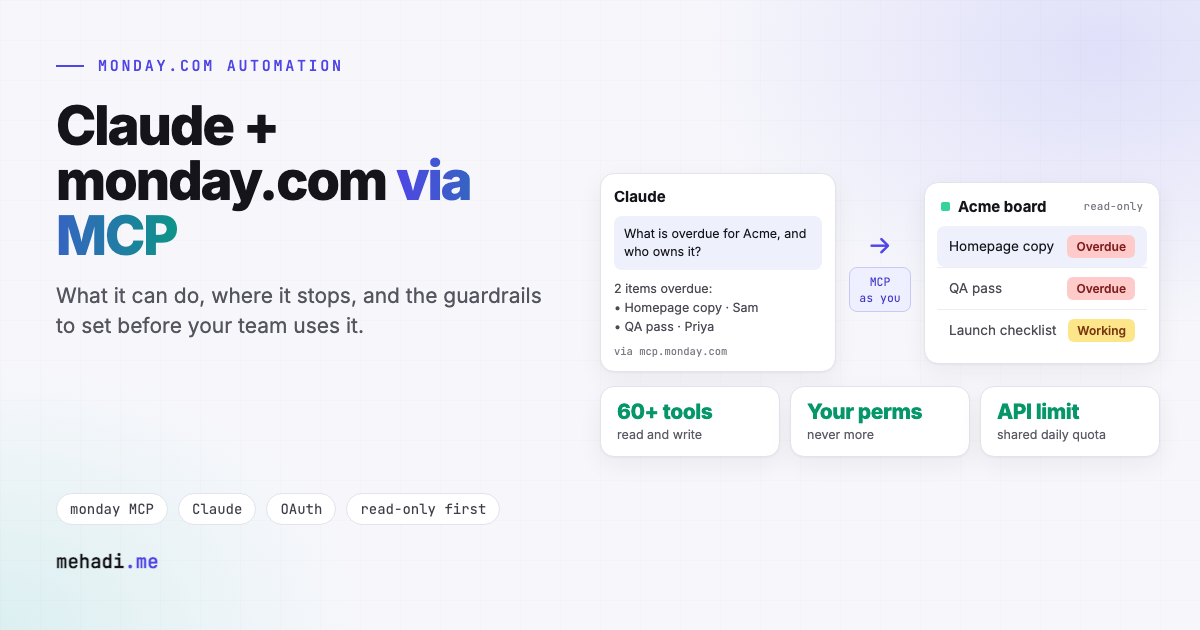
- It acts as the person who connected it. Every tool call runs in the context of the authenticated user and respects that user's monday.com permissions. Claude cannot see or change boards that person cannot.
- It uses your API allowance. monday.com says MCP tool calls consume your account's daily API call limit, just like direct API requests.
- It can write. Creating items, changing statuses, and posting updates are all available, so a mistaken request makes real changes.
2. How to connect it
- For one person, to try it. Add the server URL as a connector in Claude and sign in with monday.com, or use a personal API token. monday.com's docs say personal use needs no admin approval.
- For a team. An admin installs the monday MCP app from the monday.com marketplace, which gives OAuth sign-in and workspace controls, and each person connects with their own account.
- For enterprise accounts. monday.com documents managed authentication set up once by your identity provider and AI client admins, currently for Claude with Okta.
- Self-hosted. The open-source server runs locally with a token and has a
--read-onlyflag, which is the safest way to start.
If you set this up earlier in the year, check the URL: monday.com no longer supports the old SSE endpoint, so clients must use /mcp.
3. What it is genuinely good at
- Questions across boards. "What is overdue for Acme, and who owns it?" without building a view or a dashboard.
- Summaries. Reading the updates on a project and summarising what changed this week, in plain language.
- Quick capture. Turning notes, an email, or a list in a chat into items on the right board.
- Drafting from data. A client status report or handover note written from what is actually on the board.
- Setup help. Creating a board, columns, or groups from a description, then refining it by hand.
4. Where it stops
It only runs when someone asks
MCP is a conversation, not a trigger. It will not keep two boards in sync, react when a status changes, or run every night. Those jobs need webhooks and workflows, as in my two-way board sync guide.
It does not know your conventions
Claude sees column names and labels, not what "Stuck" means to your team, which group new work belongs in, or what must never be sent to a client. That is what a Skill is for (see below).
Bulk work is slow and uses your API allowance
Reading hundreds of items through a chat is slow, and every call counts against your daily limit. Large reports and migrations are better as scripts or workflows, like the roll-up reporting and migration platform I have built.
Its changes look like the person's changes
Edits made through MCP are made as the connected user, so in the activity log they are hard to tell apart from that person's own work.
5. Guardrails before you roll it out
- Start read-only. Let the team ask questions for a few weeks before allowing writes. The self-hosted server's read-only flag, or a restricted account, makes this enforceable.
- Review before Claude writes. monday.com recommends reviewing AI-suggested changes before confirming actions that modify your workspace. Keep that on for anything client-facing.
- Use a dedicated account for shared assistants. An assistant used by several people should connect as its own user, with access only to the boards it needs, so its changes are visible as its own.
- Keep sensitive boards out of reach. HR, finance, and client contracts should not be shared with the account the assistant uses unless there is a reason.
- Watch your API usage. Heavy MCP use and your existing integrations share the same daily limit.
6. The setup I recommend: MCP for access, a Skill for know-how, workflows for anything automatic
- MCP gives Claude access to the boards.
- A Skill teaches Claude your account: which boards hold what, what each status means, how a weekly client report is structured, and what needs approval. I explain how to build one in Claude Skills for operations teams.
- n8n workflows handle everything that must happen on its own: syncs, roll-ups, intake, and alerts, with logs and retries. Where people want to trigger those by asking, n8n can expose them to Claude as tools, which I cover in OpenClaw vs n8n.
I work with the monday.com GraphQL API daily for syncs, roll-ups, and migrations (using the monday.com GraphQL API with n8n), and MCP sits on top of the same API. It is the conversational layer: useful, fast to set up, and best when the automatic work underneath is already reliable.
Want Claude working safely on your monday.com account?
Tell me what your team would ask Claude about your boards, and what must never change without a person. I will reply within 24 hours with a setup that fits, whether that is MCP alone or MCP with Skills and workflows. See my monday.com automation service.
Get a free 30-min automation auditFrequently asked questions
Does monday.com have an official MCP server?
Yes. monday.com hosts one at https://mcp.monday.com/mcp, which its developer documentation says exposes more than 60 tools for reading and writing data. An open-source version can also be run locally, including in read-only mode.
Can Claude see boards I do not have access to through MCP?
No. Every tool call runs as the authenticated user and respects that user's monday.com permissions.
Does the monday MCP use API limits?
Yes. monday.com says MCP tool calls consume your account's daily API call limit, just like direct API requests.
Can MCP replace monday.com automations or a board sync?
No. MCP runs when someone asks Claude something. Anything that must happen on a trigger or schedule, such as a two-way sync or roll-up report, needs webhooks and a workflow.
Details checked November 3, 2026 against monday.com's developer documentation and the mondaycom/mcp repository linked above. The tool list and setup options change often; check the current docs before you roll out.