monday.com Migration Service
Move from Trello, Asana, or ClickUp to monday.com with your history intact
A migration is where years of decisions, comments, and files either come across or quietly disappear. I migrate teams to monday.com with scripts that run against both APIs: descriptions, comments, attachments, owners, and statuses mapped to your new boards, a trial run on one board first, and an audit log of every item moved. The same approach moved 70+ client workspaces from Trello to monday.com.
Typical migrations to monday.com: $3K–8K, 2–4 weeks. Fixed price, agreed up front. See ways to work together
Who this is for
- Agencies moving client and internal work from Trello to monday.com
- Teams consolidating Asana or ClickUp projects into monday.com
- monday.com partners who need the data move handled while they run onboarding
- Teams that tried the built-in importer and found what it left behind
Problems I solve
- "The importer brought the cards across but not the comments and files."
- "We have dozens of boards and cannot stop work for weeks to copy them by hand."
- "Owners, labels, and lists do not map one-to-one to monday.com people, statuses, and groups."
- "Client boards and internal boards need to stay linked after the move."
- "We need proof that nothing was lost before we switch the old tool off."
What you get
What I build
Source inventory
Every board or project counted, with what must come across, what can be archived, and where it lands in monday.com.
Mapping spec
Lists, sections, labels, custom fields, and members mapped to monday.com groups, columns, statuses, and people, agreed before the run.
Trial migration
One real board migrated first so your team can check it and adjust the mapping before the full move.
Full migration with history
Descriptions, comments, attachments, checklists, due dates, and owners carried over, in batches you can schedule around your work.
Audit log
A record of every item migrated, skipped, or flagged, so you can sign off before switching the old tool off.
Linked boards
Client-facing and internal boards linked after the move where your process needs it, with an optional sync on n8n.
Proof of work
Systems I've shipped
Real projects running in production, with the problem, the build, and the outcome.
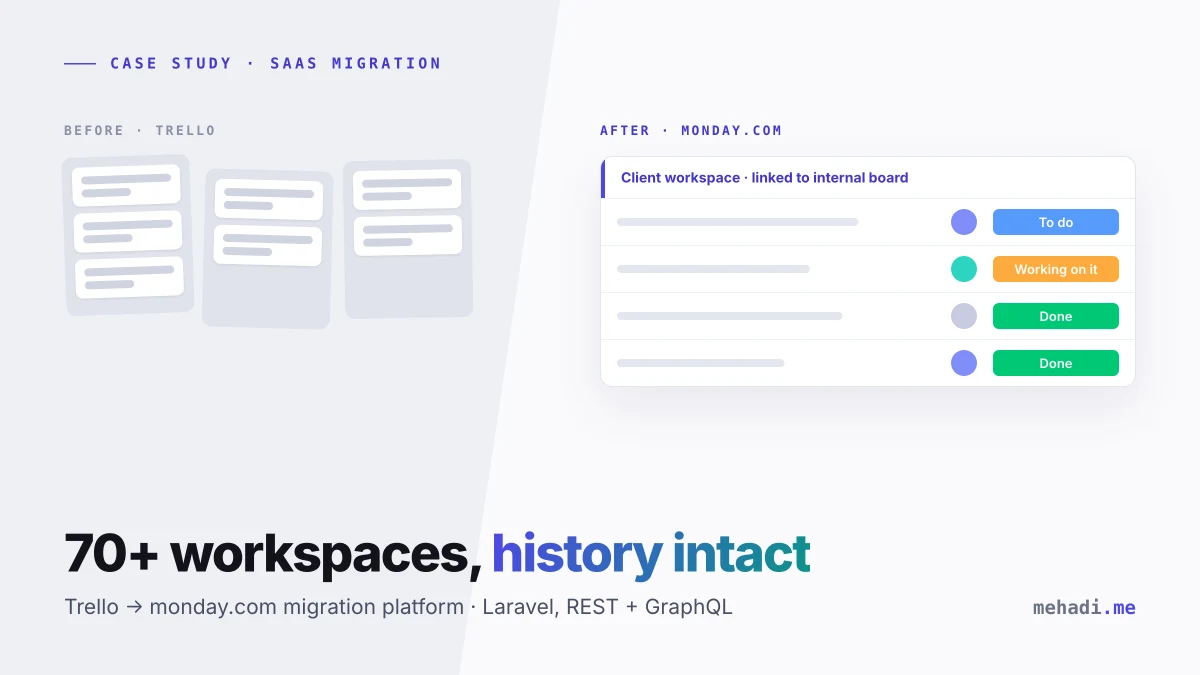
Software · SaaS Migration
Trello → Monday.com Migration Platform
A Laravel platform that migrated 70+ client workspaces from Trello to Monday.com, boards, comments, attachments and all.
- 70+ client workspaces migrated successfully
- Weeks of manual recreation replaced by monitored, auditable jobs
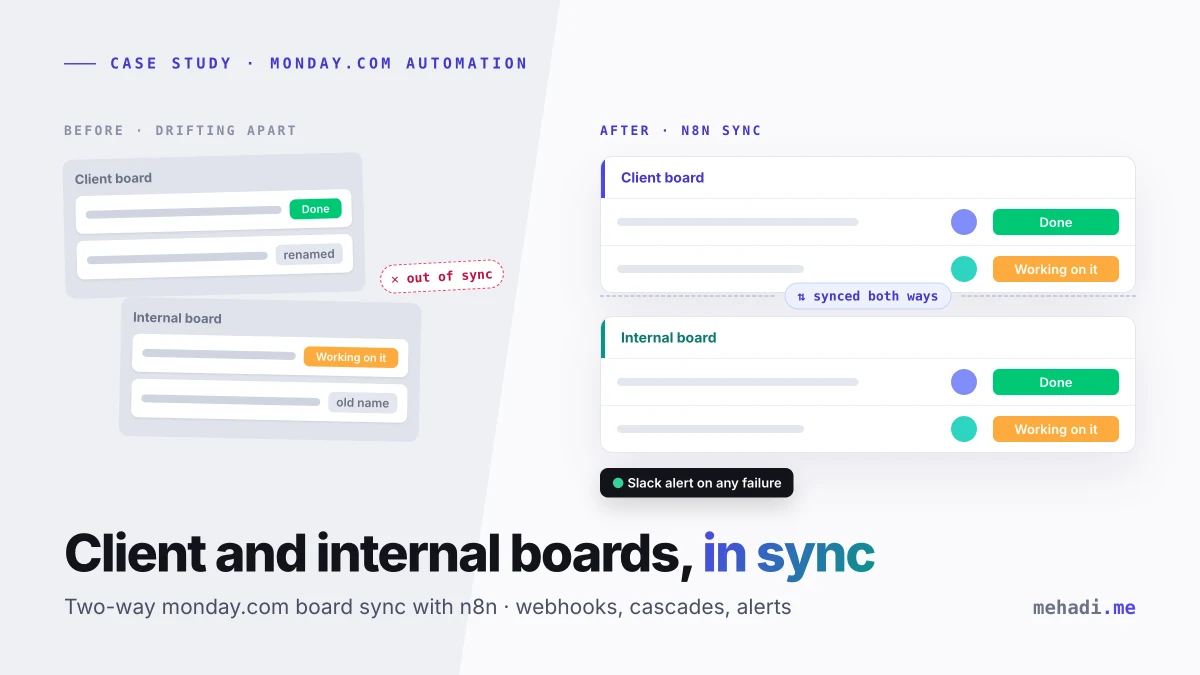
Automation · n8n
Monday.com Board Sync Suite
Webhook-driven n8n automations keeping client-facing, internal, project, and task boards in perfect sync.
- Cross-board data consistency without manual reconciliation
- Project health tracking reflects reality, on schedule
Pricing
Ways to work together
Fixed prices, agreed in writing before any work starts. No hourly billing. Typical migrations to monday.com: $3K–8K, 2–4 weeks.
Automation Audit
$500
fixed, 100% credited to a build
The paid first step. I review up to 3 workflows or 1 process and hand you a prioritized build plan you can act on, with me or without me.
- Up to 3 workflows or 1 process reviewed
- Recorded Loom walkthrough of what I found
- Prioritized build plan with an ROI estimate
- Fee 100% credited if you go ahead with a build
Timeline: Delivered in 5 business days
Start the $500 Audit Or start with the free 30-min review callFixed-scope build
From $2,500
Typical migrations to monday.com: $3K–8K, 2–4 weeks
One process taken to production at a fixed price agreed before any work starts. No hourly billing, no surprise invoices.
- One process built and running in production
- Error handling, retries, and failure alerts
- Documentation and a recorded handover
- 30-day fix guarantee: bugs against the agreed scope fixed free
Timeline: 2–4 weeks
Scope a buildCare plan
From $600
per month, cancel anytime
Someone on call for your automations after handover: alerts answered, fixes made when an API or portal changes, and room for small improvements.
- Monitor: about 4 hrs a month, $600/mo
- Partner: about 15 hrs a month, $1,800/mo
- Fixes when APIs, portals, or credentials change
- Cancel anytime, no lock-in
Timeline: Monthly, starts after handover
See care plans- 30-day fix guaranteeBugs against the agreed scope are fixed free for 30 days after handover.
- Audit fee creditedThe $500 Audit fee is 100% credited when you go ahead with a build.
- You own everythingWorkflows, code, and accounts live in your name. Offboarding is removing my access.
Fixed-price packages
Trello to monday.com migration
From $3,000Your Trello boards moved to monday.com with history intact, using the approach that moved 70+ client workspaces.
- Descriptions, comments, and attachments
- List, label, and member mapping
- Trial run on one board first
- Audit log of every item migrated
Timeline: 2–3 weeks · Ask about this package
Asana or ClickUp to monday.com migration
From $3,000Asana or ClickUp projects moved to monday.com with the same scripted method, scoped after a look at your workspace and a trial run.
- Workspace inventory and mapping spec
- Tasks, subtasks, comments, and files
- Trial run on one project first
- Audit log and sign-off checklist
Timeline: 2–4 weeks · Ask about this package
Already built and something broke? Workflow rescue: $400 fixed. See full pricing, care plans, and what is included
How it works
From first call to running system
-
01
Free 30-min review
You walk me through the manual process. I tell you honestly whether automation makes sense and roughly what it involves.
-
02
Audit or fixed-scope proposal
For a clear single process you get a written scope, timeline, and fixed price. For anything bigger, the $500 Automation Audit maps it first, and the fee is credited to the build.
-
03
Build and test
I build with error handling, retries, and alerting from day one, and test against your real data and edge cases.
-
04
Handover and care
You get documentation, a walkthrough, and a 30-day fix guarantee. After that, a care plan covers fixes when sites, APIs, or credentials change. See care plans
Guides
Read before you hire
Practical write-ups on costs, trade-offs, and how these builds work.
Guide
Trello to Monday.com Migration: The Checklist and the Scripted Approach
Read the guideComparison
Connect Boards vs Mirror Columns vs a Real Sync on monday.com: Which One You Actually Need
Read the guideComparison
monday.com Consultant vs monday.com Partner: Who Should You Hire?
Read the guideGuide
monday.com Connect Boards: How to Link Multiple Boards, Automate Across Them, and Build a Two-Way Sync That Holds
Read the guideGood to know
Questions about Trello / Asana to monday.com Migration
How much does a migration to monday.com cost?
Most migrations cost $3K–8K at a fixed price and take 2–4 weeks. A Trello to monday.com migration starts at $3,000; the price depends on the number of boards or projects, how much history must come across, and how many links between boards you need. The price is fixed after I have seen the source workspace.
Have you migrated from Asana or ClickUp before?
My delivered migration is Trello to monday.com: 70+ client workspaces moved with comments, attachments, and linked boards. Asana and ClickUp both have full APIs and get the same scripted method, but the field mapping is different, which is why every migration starts with an inventory and a trial run on one real project before the full move.
Why not use monday.com's built-in importer?
For a few simple boards it may be enough, so check it first. A scripted migration earns its cost when you need comments, attachments, owners, custom status mapping, links between client and internal boards, or an audit log showing nothing was lost.
What access do you need, and how is our data handled?
An admin API token for the source tool and for monday.com, ideally from accounts created for the migration. Data moves directly between the two APIs from a script or server you control; files are not kept after the job. Tokens are revoked at the end, and I remove my access at handover.
What is not included?
Designing your monday.com workspace from scratch, user training, and licence purchases stay with you or your monday.com partner. I map into the boards you have agreed on and will point out structure that will not hold the data well. Ongoing two-way sync between tools after the move is a separate build.
Are there running costs after the migration?
Usually none. A migration is a one-off job, so there is nothing to keep running unless you also want an ongoing sync between boards, which runs on n8n at $5–40 a month or an n8n Cloud plan.
Does work have to stop while we migrate?
No. Boards move in batches you schedule, and a final catch-up pass picks up changes made in the old tool during the migration before you switch it off.
Who owns the workflows and code you build?
You do. Everything is built in your own accounts (n8n, Make, monday.com, CRM, cloud, Robomotion, or your servers), credentials stay in your vault, and the code and workflow exports are yours. There is no licence fee to me and no lock-in: offboarding is removing my access.
What happens after handover?
You get documentation, a recorded walkthrough, and a 30-day fix guarantee: any bug against the agreed scope is fixed free. After that you can run it yourselves, call me for a $400 workflow rescue when something breaks, or keep a care plan (Monitor at $600/month or Partner at $1,800/month, cancel anytime) so alerts are answered and changes in APIs or portals are handled.
You are in Dhaka. How do time zones and communication work?
I work from Dhaka (GMT+6). My afternoon and evening overlap with most of the UK and EU working day, and I take US calls in my late evening, which is the US East Coast morning, so calls are easy to schedule. Day to day we work async in Slack, email, or your project board, I reply within one business day, and every milestone comes with a short Loom so nothing depends on being online at the same time.
Tell me what's eating your team's hours
Describe the manual process and the tools involved. I'll reply within 1 business day with an honest take on whether automation can fix it, what it would involve, and what it would cost.
Not ready to talk yet? Size it up first with a free tool: Automation Readiness Scorecard.