Guide · Blog Post
Duplicate Leads and Slow Follow-Up in monday CRM: Fixing Lead Capture Before It Costs You Deals
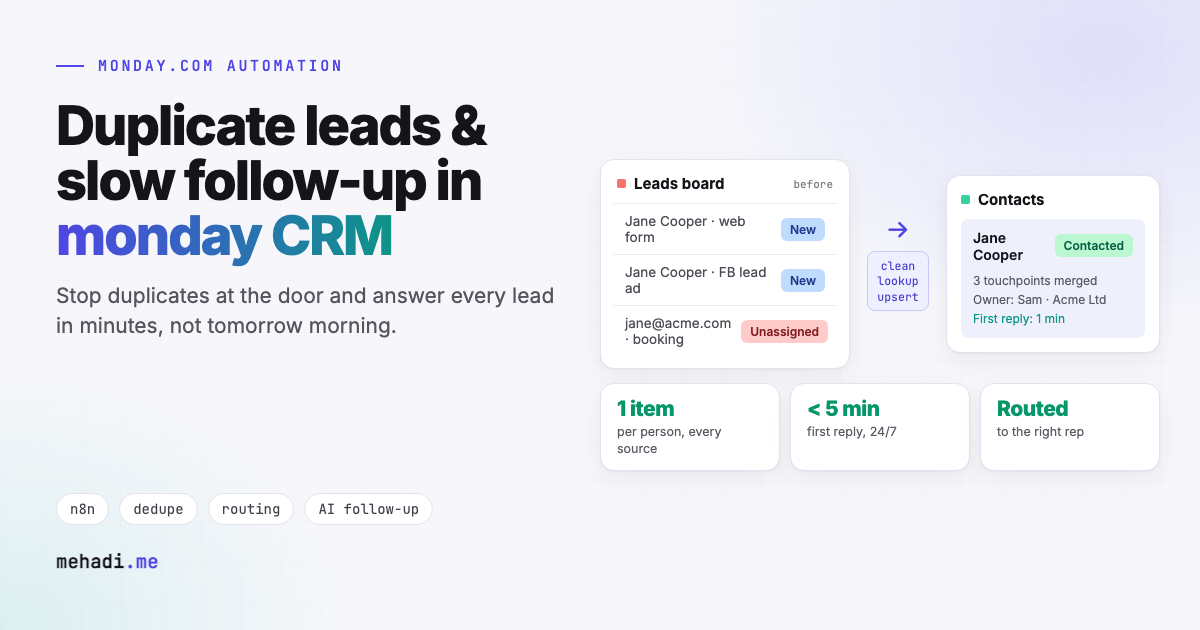
Leads reach monday CRM from a website form, Facebook and Google lead ads, a booking link, a shared inbox, and the phone. Each source creates its own item, so the same person ends up on the board two or three times, and nobody is sure who owns them. Meanwhile the lead that came in at 7pm waits until a rep logs in the next morning. Both problems cost deals, and both are fixed at the point where leads enter, not by cleaning the board afterwards.
By Mehadi Hasan 7 min read
1. What this looks like on a real sales board
- The same person, three times. They downloaded a guide, filled the contact form a week later, then booked a call. Three items, three owners, three different notes.
- Two reps call the same lead. Or nobody does, because each assumed the other had it.
- Reporting that lies. Lead counts and cost per lead are inflated, and conversion rates are understated, because duplicates count as separate leads.
- Leads that wait. Form submissions arrive at night and on weekends, and the first reply goes out the next working day.
- Lost source data. Which campaign brought the lead in is stored on one duplicate and not the other, so marketing cannot tell what works.
2. What monday CRM gives you, and where it stops
Manage duplicates is cleanup, not prevention
monday CRM has a Manage duplicates tool that finds matching items on a board so you can merge them (Manage duplicates). Users in the community describe it as a manual pass you run after the fact, and say it matches exact values only, works inside one board, and keeps one item while archiving the others rather than letting you choose field by field (community thread). Others ask for duplicates to be flagged automatically as they arrive (feature request).
Each source is its own integration
The forms, the Facebook lead ads integration, email-to-board, and connector tools such as Zapier each create items on their own terms. Unless every one of them looks up the existing contact first, which most simple recipes do not, every new touchpoint becomes a new item.
"Same person" is not "same text"
[email protected] and [email protected], or +1 (415) 555-0100 and 4155550100, are the same person to you and different values to an exact match. Real deduplication needs the data cleaned before it is compared.
Automations notify. They do not reply.
Recipes can assign a lead and notify a rep, but a notification at 7pm is still a reply at 9am. Research published in Harvard Business Review found that companies that tried to contact a lead within an hour were far more likely to qualify it than those that waited longer, and that most companies responded much more slowly than that (HBR, 2011).
3. The fix: one intake that every lead passes through
Instead of five integrations writing straight onto the board, every source sends its lead to one n8n workflow. That workflow is the only thing allowed to create or update leads.
- Collect. Website forms, Facebook and Google lead ads, booking tools, and inbound emails all post to the same webhook, each tagged with its source and UTM values.
- Clean. Emails are trimmed and lowercased, phone numbers converted to one international format, names tidied, and company domains pulled from work email addresses.
- Look up before writing. The workflow searches the contacts board by email, then by phone, using the API's search by column value (items_page_by_column_values). A near match, such as the same name at the same company domain, is flagged for a human rather than merged blindly.
- Update or create. A known contact gets the new touchpoint added as an update on their existing item, with the new source recorded, and their owner is notified. Only a genuinely new person creates a new item.
- Route. New leads are assigned by your rules: territory, service, deal size, or round robin among reps who are working that day.
- Answer within minutes. An immediate, personal first reply goes out by email or SMS, written from what the lead actually asked for. For high-intent leads, an AI voice call can follow, within the quiet hours and consent rules you set.
- Escalate. If the owner has not touched the lead within a set time, it is reassigned or posted to a team channel.
The board stays clean because duplicates are stopped at the door, and the first reply no longer depends on who is online.
4. Where I have built this
I built an AI follow-up agent in n8n that watches lead activity and replies with contextual calls, SMS, and email, using OpenAI for the copy and Twilio with ElevenLabs for voice, so every lead gets a timely, personal answer whatever the sales team's workload (case study; architecture in AI voice follow-up with n8n). That system runs on GoHighLevel. The same intake, dedupe, and follow-up logic sits in front of monday CRM through its GraphQL API, which I use daily for board syncs and migrations.
5. Cleaning up the duplicates you already have
- Export or read every contact through the API, apply the same cleaning rules, and group items that match on email, phone, or name plus domain.
- For each group, pick the survivor by a rule you agree on, such as the oldest item or the one with an active deal, and copy over any field the survivor is missing.
- Copy updates onto the survivor and re-link deals to it, then archive, not delete, the rest, so nothing is lost.
- Run it once on a copy, review the report, then run it for real. After that, the intake keeps the board clean.
Leads slipping through your monday CRM?
Tell me where your leads come from and what should happen in the first ten minutes. I will reply within 24 hours with how a single intake would dedupe, route, and answer them, and roughly what it takes. Want a number first? Try the Missed Lead Revenue Calculator, or see my monday.com automation service.
Get a free 30-min automation auditFrequently asked questions
Does monday CRM prevent duplicate leads?
monday CRM has a Manage duplicates tool for finding and merging matching items on a board. Users describe it as a cleanup you run after the fact that matches exact values within one board. Preventing duplicates means checking for an existing contact before any source creates an item.
How do you dedupe leads from several sources?
Send every source (forms, lead ads, booking tools, email) to one workflow. It cleans emails and phone numbers into one format, searches the contacts board by email then phone, updates the existing item if found, and creates a new one only for a genuinely new person. Near matches are flagged for a human.
How fast should a new lead get a reply?
As fast as possible. Research published in Harvard Business Review found that companies that tried to contact leads within an hour were far more likely to qualify them than those that waited longer. An automated, personal first reply within minutes covers nights and weekends.
Can you clean up duplicates already in monday CRM?
Yes. A one-off script groups items that match on cleaned email, phone, or name plus company domain, picks a survivor by an agreed rule, copies missing fields and updates onto it, re-links deals, and archives the rest. It runs on a copy first so you can review the result.
Features checked November 3, 2026 against the monday.com documentation and community threads linked above. monday.com changes features and plans often; confirm current details before you build.