Guide · Blog Post
monday.com Forms That Update Existing Items: Client Intake, Onboarding, and Change Requests Without Duplicates
monday.com forms are great at one thing: turning a submission into a new item. Real processes need more than that. A client fills an intake form, then has to send documents, confirm details, and approve a scope, and every one of those steps belongs on the same item. When each step creates a new item instead, the team spends its time copying answers between rows and deleting duplicates. This is where WorkForms stops, and how I build forms that write back to the right item.
By Mehadi Hasan 7 min read
1. Where one form per item stops working
- Multi-step client onboarding. Intake, then documents, then billing details, then sign-off. Four forms, four items, one client.
- "Please update your details." You send a vendor or client a form to correct their information, and their answer arrives as a brand-new item next to the old one.
- Change requests. A client asks to change a project's scope or deadline. The request should update the project, not start a new one.
- Field reports and inspections. A technician completes a report on a job that is already on the board and has to retype the job details first.
- Uploaded files in the wrong place. Documents sit on the new duplicate item, so someone has to move them to the real one by hand.
2. What WorkForms does today
A submission creates an item
That is the core design, and it is why "use forms to edit or update existing items" has been one of the community's longest-running requests, running to many pages of replies (community thread).
Editing responses is arriving, on top plans first
Community posts describe editable form responses and update-style forms reaching Enterprise accounts in a gradual release (community thread). If you are on Enterprise, check this first. On other plans, or for flows that go beyond editing a single response, you still need another route.
The usual workarounds are fragile
Asking people to type an ID or pick their item from a connected-board question, then running a recipe that copies values across, depends on people typing correctly and on recipes that cannot validate anything. Marketplace form apps help with editing, and are worth trying for simple cases, but they rarely handle multi-step processes, file routing, and checks in one flow.
3. The fix: personal form links that write back to the right item
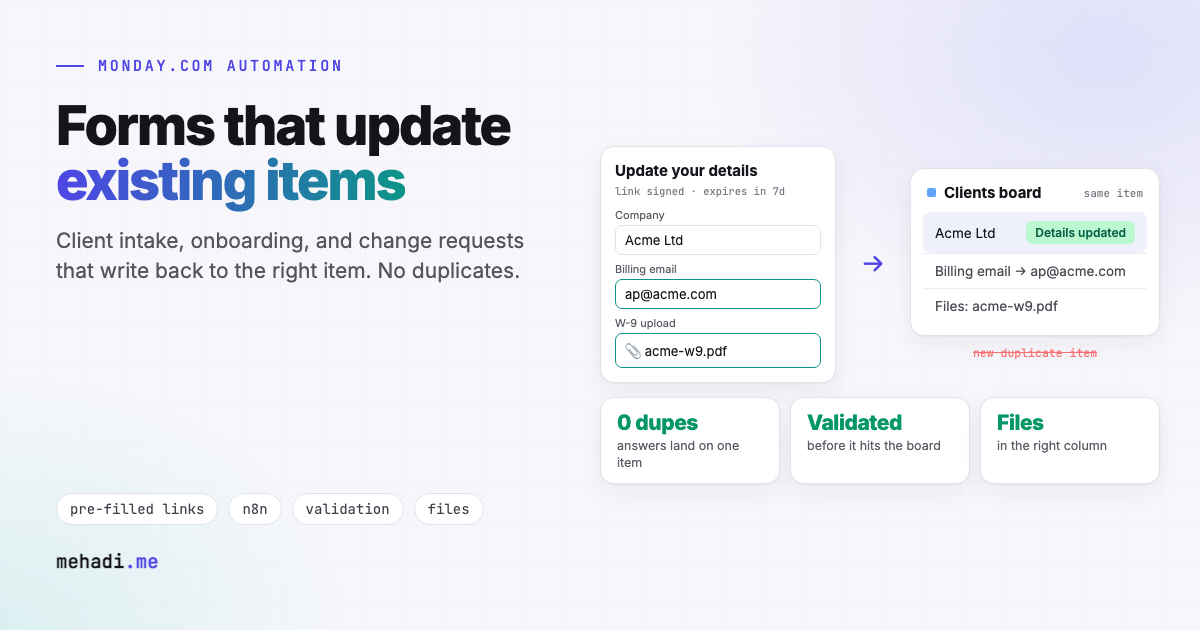
- A link per item, sent automatically. When an item reaches a stage, say "Awaiting documents", n8n generates a personal link for that client and emails it. The link carries a signed, expiring token, not a raw item ID, so nobody can guess another client's link.
- Pre-filled with what you already know. The form opens with the client's current details filled in, using a form tool such as Tally, Jotform, or Fillout, or a small custom page. They only change what is wrong.
- Validated before it touches the board. On submit, the workflow checks the token, required fields, formats, and business rules. Bad input goes back to the person, not onto the board.
- Written to the existing item. All changed values are written in one
change_multiple_column_valuescall. Uploaded files go into the item's file column, and a short update records what changed and who changed it. - Next step triggered. The status moves on, the owner is notified, and the next form link goes out if there is one. Native automations can take over from there, because they react to real column changes.
For forms where people are not on the board yet, the same flow works as an upsert: look up by email or company first, update if found, create only if not. That stops the "please update your details" duplicates.
4. Reading the documents people upload
Intake forms often ask for documents: an ID, a certificate, a purchase order, a signed contract. Instead of someone opening each file to copy numbers onto the board, an AI step can read the document, extract fields such as names, dates, reference numbers, and amounts, and fill columns with them. Anything it is not sure of is flagged for review rather than guessed. I explain how I make document extraction reliable, combining OCR, a vision model, and validation, in invoice OCR, classic OCR vs vision LLMs.
5. Where this comes from
Getting data onto the right monday.com item, with files and history attached, is most of what I do on the platform. The migration platform I built moved 70+ client workspaces from Trello to monday.com with descriptions, comments, and attachments landing on the correct linked items (case study), and my board sync suite keeps client-facing and internal items aligned both ways (case study). Form write-back is the same discipline at the front door.
6. When native forms are enough
- Every submission really is a new piece of work, such as a support ticket or a new request.
- You are on Enterprise and editing a person's own previous response covers the need.
- A simple edit-item marketplace app does the job and you do not need validation, files, or multi-step flows.
Forms creating more work than they save?
Tell me what your intake or onboarding steps are and which board they should land on. I will reply within 24 hours with whether native forms can do it, or how a write-back form flow would work and roughly what it takes. See my monday.com automation service.
Get a free 30-min automation auditFrequently asked questions
Can a monday.com form update an existing item?
Forms are built to create a new item per submission. Community posts describe editable responses reaching Enterprise accounts in a gradual release. For other plans, or for multi-step flows, a pre-filled form link that writes back through the API is the dependable route.
How does a write-back form know which item to update?
Each person gets a personal link carrying a signed, expiring token that identifies their item. On submit, the workflow verifies the token, validates the answers, and updates that item's columns in one API call.
Can uploaded files go to the existing item?
Yes. The workflow uploads files to the item's file column and can use AI to read documents such as IDs, certificates, or purchase orders and fill columns, flagging anything uncertain for review.
Features checked November 3, 2026 against monday.com community threads linked above. monday.com is actively changing WorkForms, so check the current Help Center and your plan before you build.